
|
| |
|
Introducing
|
| |
| Add to Calendar |
| |

|
| |
Your attendees can now add your event to their calendar.
Compatible with Google, Apple, Outlook, iOS, Android and Yahoo Calendar. |
| |
|
|
| How it works |
| |
|
| |
| Step 1 |
| |
|
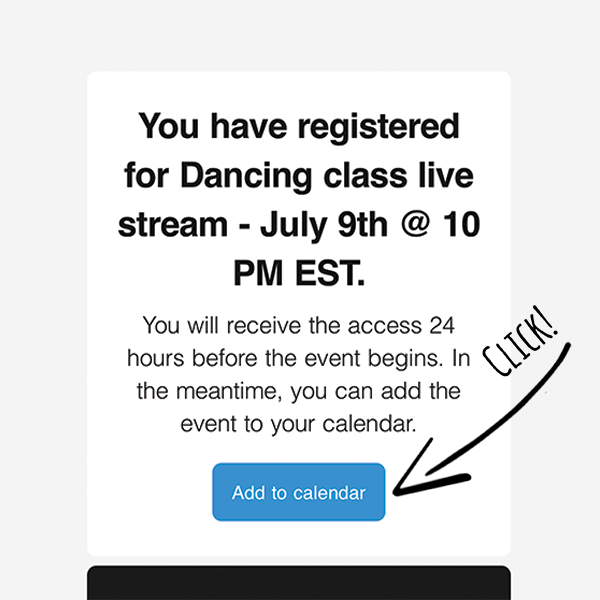
Register Confirmation
|
| |
| Your attendees now receive a register confirmation immediately after checkout. In this notification there is a "Add to Calendar" button. |
|
|
| |
| Step 2 |
| |
|
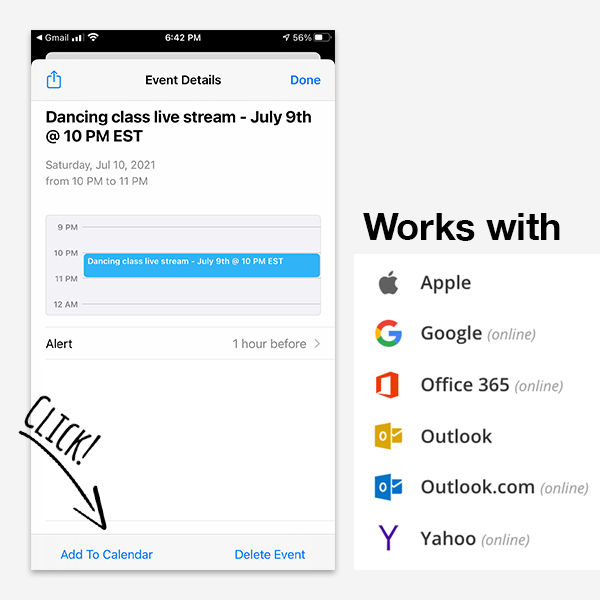
Add to Calendar
|
| |
| Attendees add the event to their calendar. It's compatible with every major calendar app such as Google, Apple, Outlook, iOS, Android and Yahoo Calendar. |
|
|
|
| Try it! |
| |
| We created a test event to demonstrate this new functionality to you. Go ahead and try to add it to your calendar. |
| |
|
|
| |
|
|
|

